Run Calculations is the main process used to refresh DDMRP planning data. It brings together several calculation routines that update the supply-chain structure, buffer parameters, inventory states, alerts, and chart history. Run it after DDMRP setup or SKU parameters are changed, after ADU values are updated, or before planners review States and Alerts and create requisition worksheet lines.
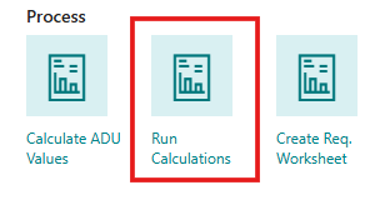
The action can be started from the Role Center by choosing Run Calculations in the Process group. The same calculation routines can also be started separately by searching for the relevant report or action in Business Central — useful for troubleshooting, testing, or refreshing only a specific part of the planning data.
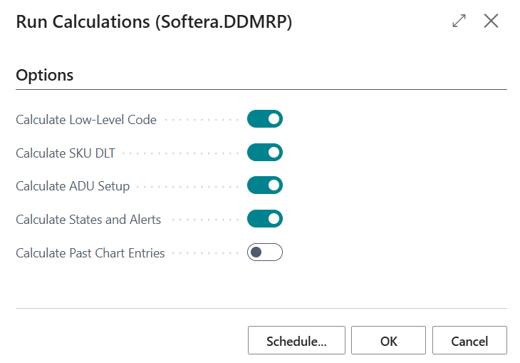
The Run Calculations request page lets you choose which routines should be executed. Enable only the calculations that are required for the current task.
Field Name | Field Meaning |
|---|---|
Calculate Low-Level Code | Updates low-level codes used to process items and SKUs in the correct supply-chain order. Important when item structures, BOMs, or replenishment routes have changed. |
Calculate SKU DLT | Calculates Decoupled Lead Time (DLT) for DDMRP SKUs. DLT is used in buffer sizing, order spike horizon, due dates, and explosion planning. |
Calculate ADU Setup | Recalculates ADU Setup and buffer values according to current ADU, DLT, LTF, VF, MOQ, and other SKU planning parameters. |
Calculate States and Alerts | Recalculates DDMRP States and Alerts, including on-hand position, projected on-hand, net flow, qualified outgoing demand, order today quantity, and alert colors. |
Calculate Past Chart Entries | Creates historical chart entries for the selected work date. These entries are used in the Chart view to show inventory and buffer trends over time. |
Recommended use
For regular planning, run the full calculation process before reviewing States and Alerts or creating requisition worksheet lines. This ensures planners work with the latest DDMRP results.
If only a specific part of the data has changed, run only the relevant calculation. For example, after changing SKU lead times or supply-chain structure, run Calculate SKU DLT and then refresh States and Alerts. After updating ADU values, run Calculate ADU Setup and then refresh States and Alerts.
Individual calculations
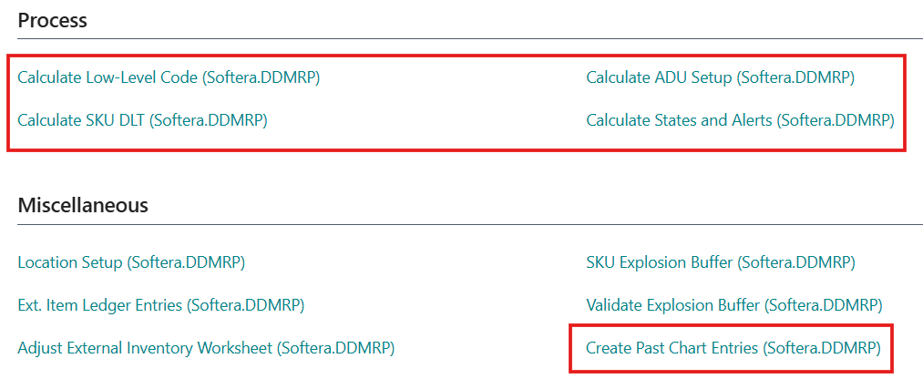
Although Run Calculations provides a single place to run several routines together, the same processes can also be opened separately — either by searching for them in Business Central or by choosing them from the Links group on the Role Center.
This lets users or administrators run only one calculation when needed, for example:
Calculate Low-Level Code
Calculate SKU DLT
Calculate ADU Setup
Calculate States and Alerts
Create Past Chart Entries
When calculations are scheduled through the job queue, use the same logical order: update ADU-related values first, then buffer and DLT values, then States and Alerts, and finally requisition worksheet or chart-related processes.