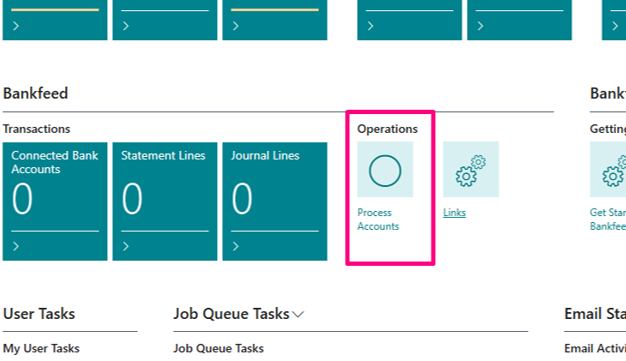
In this article we will explain how to create a demo company to test Bankfeed
Before starting the process, please download these files in the “DEMO data packages” repository, which are necessary to complete demo company creation: DEMO data packages
To upload Configuration packages without errors, select English language in My Settings.
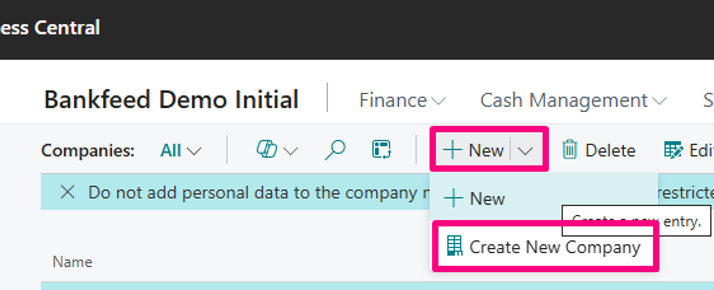
Create a new company: Companies > New > Create New Company.
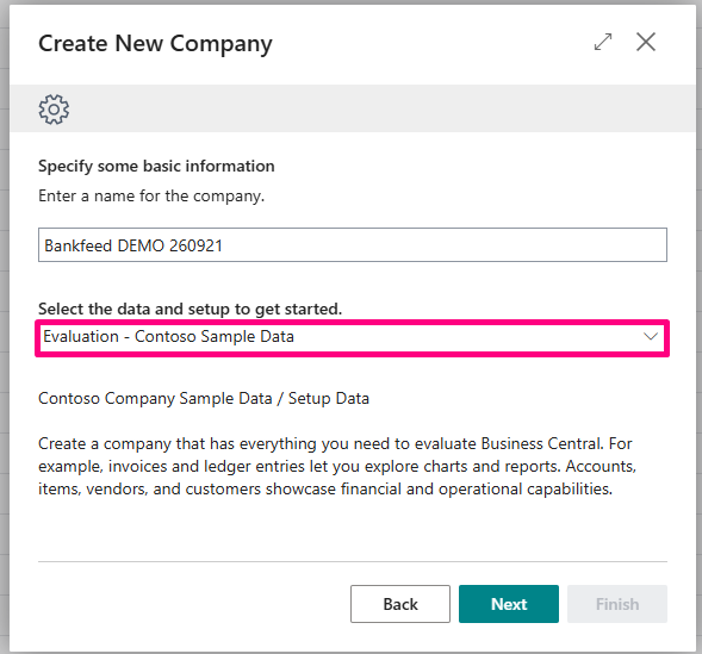
In the creation wizard, select „Evaluation – Contoso Sample Data“. Leave all „Available Modules“ selected.
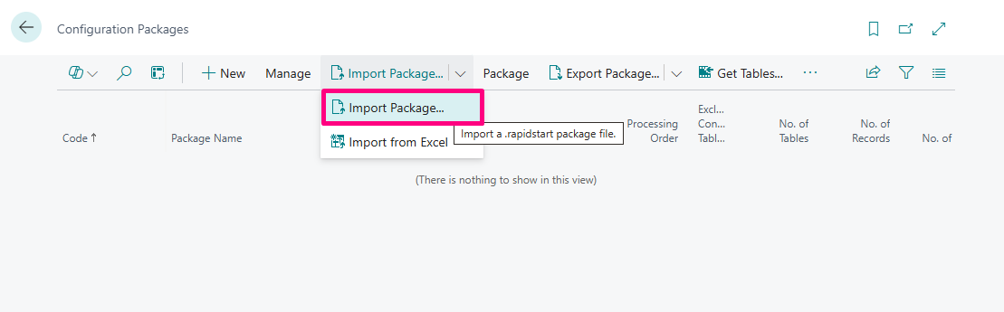
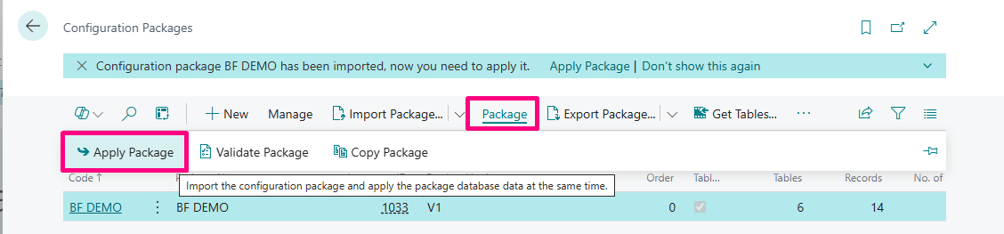
Then the new company is ready, import the Configuration package file and apply it.
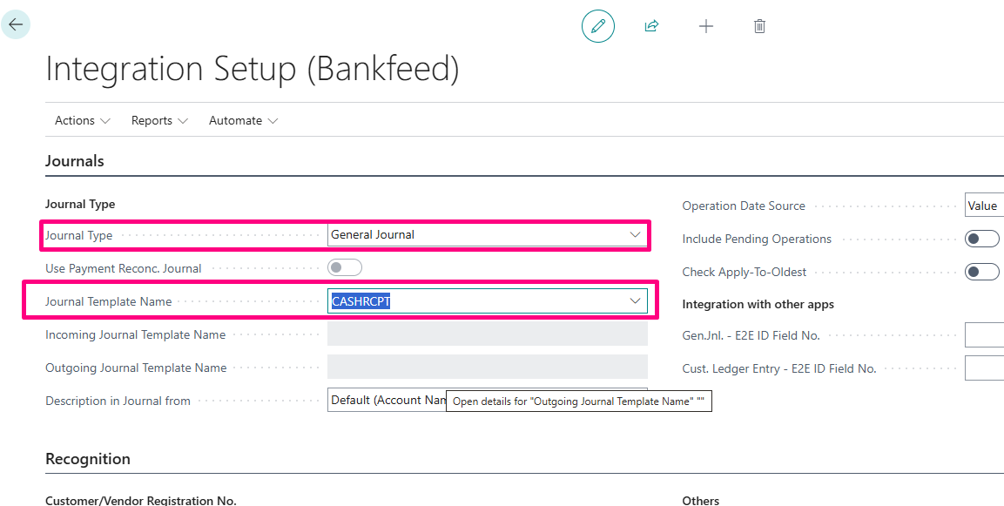
Go to the Integration setup (Bankfeed) and select the Journal Type you will be using for bank transaction upload.
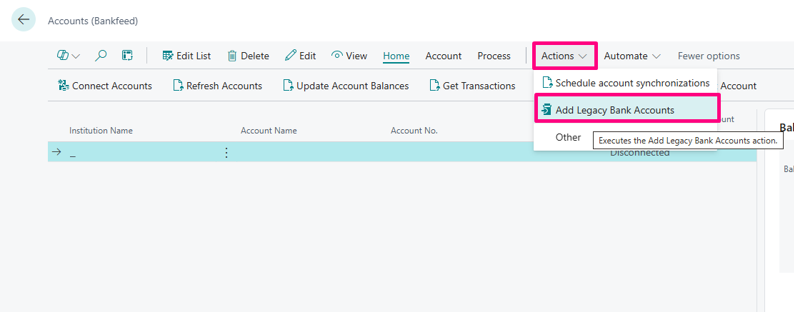
Go to Accounts (Bankfeed) and click Actions > Add Legacy Accounts. This will create accounts for parsing statement data.
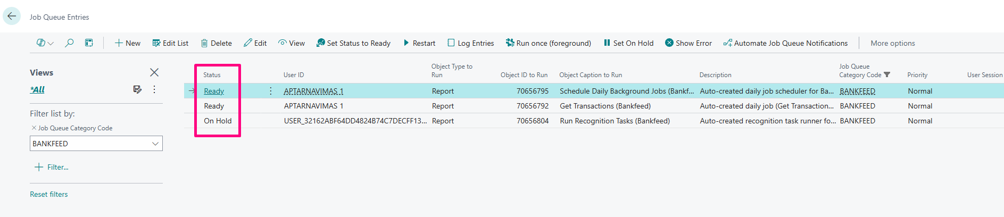
Check if „Bankfeed“ Job Queue Entries are running, if not - change their Status to Ready.
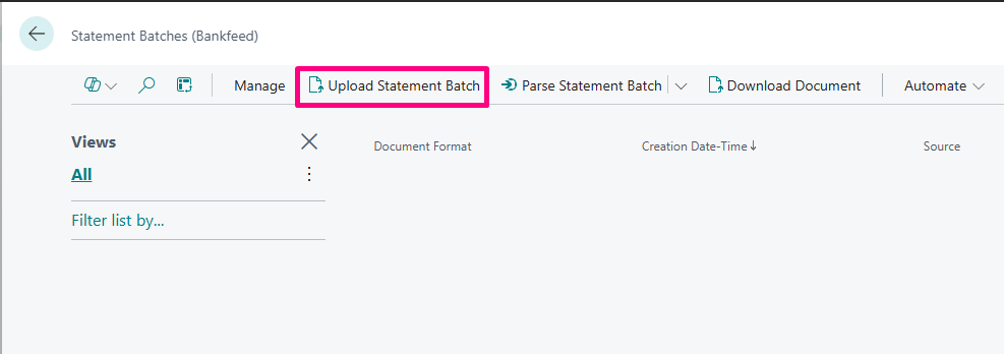
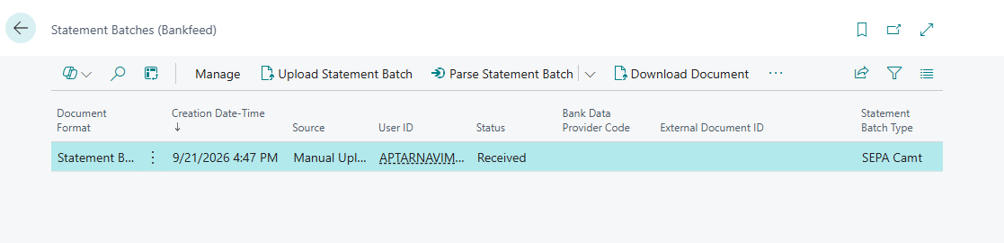
Upload the sample Statement File to Bankfeed Links > Statement Batches (Bankfeed).
Run the function Process Accounts (Bankfeed).